

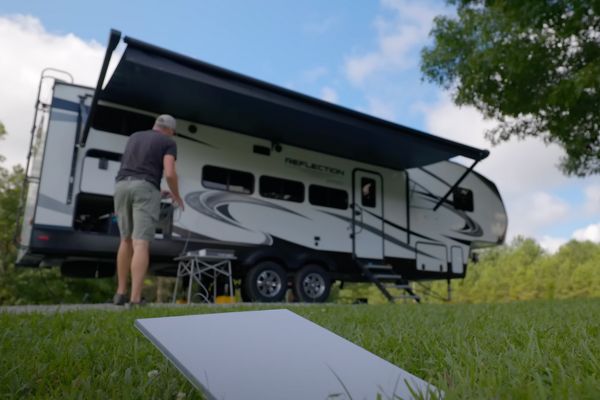
When it comes to staying connected on the road, there’s no one-size-fits-all solution. Jared Gillis from All About RVs has tested a range of internet options over the years, and he’s open about what has or hasn’t worked.
In the video at the end of this post, Jared shares how his setup has evolved, including why he still relies on Calyx for everyday use but now keeps Starlink as a crucial backup. His journey reflects what many RVers are discovering: Internet needs change with your travel style, and sometimes the best solution is a mix of both.
I have to say that I applaud Jared’s evolution. After dealing with internet hotspots for more than two years, Starlink is the only way to go, in my opinion.
A couple of years back, Jared favored Calyx internet over Starlink for traveling in an RV. The price was right, it worked well, and using cell-based internet seemed easier. Plenty of viewers saw it differently: They pushed back with strong arguments.
Many voiced the same thoughts:
- Starlink is the future for RVers who go off-grid.
- Phone hotspots have strict data limits and slow down quickly.
- Why manage two bills, a cell plan and an RV internet plan, when Starlink lets you go anywhere?
Some felt that true RV living means reaching places without any cell signal, which is where Starlink shines.
Jared still uses Calyx as his main internet service in the RV because it costs around $41.65 a month for true unlimited data. Starlink, now in his setup, acts as a backup. It’s there when bad weather or emergencies knock cell towers offline, or when camping far from any signal. A big selling point for Starlink is the ability to pause service, saving money when it’s not in use.
Pros and cons of Starlink vs. cell-based internet
Starlink covers ground where cell networks simply can’t, especially after storms cut off other internet options. The pause option means not paying every month. On the downside, Starlink is about $165 per month for unlimited use and requires extra setup. Finding the right spot for the dish and worrying it could attract thieves are issues. With Calyx, there’s little to set up, and the data is truly unlimited at a much lower price.
Why not just use a phone hotspot?
Hotspotting with a phone doesn’t cut it for full-time RVers. Data gets throttled or capped quickly, which won’t work if you stream or work online. The recent T-Mobile-based SIM update for Calyx adds flexibility. However, cell-based solutions still drop out in remote areas—one more reason Starlink is handy as a backup.
For more on these services, check out Starlink for mobile RV internet and Calyx RV cell-based internet.
RELATED
- Starlink speeds drop as user count rises
- Reminder: New T-Mobile / SpaceX Starlink service is a game changer
- Starlink for RVing—Every Starlink user needs to do this!
- 6 months of using Starlink on the road. Here’s what I think of it
RVT1220

I guess I’ve had them all, including Calyx when it relied on the Sprint network. We installed a cell booster on the last trailer, and that worked fairly well but we spent too much time in places where there was no cell signal. For us, our Starlink Mini has been the most reliable, whether in motion or boondocking in a canyon.
How much clear sky space overhead do you need to get Starlink to connect? We just got our Starlink mini and haven’t used it yet, and have heard that’s the biggest issue?
We are currently in a campground with some trees blocking “our view” of the sky, and our mini is working fine.
For us we use Travlfi and it works great. We like the fact we can have wifi while driving down the road. another plus is the fact we can turn it off when we get home and then restart without a hookup charge. We don’t have any issues with trees blocking the signal or trying find the sat or setting out the receiver in the best spot.
I’ve been using Travlfi for 4 years now and never have a connection issue because it uses more than 1 cell provider. It search for the best connection when powering on. The speed is excellent as well I can do streaming with no buffering times.
People who can’t write a civil comment should be suspended from being able to make any comment for 6 mo and then permanently if done again You do a great job screening I’ve never seen any negativity I’d still read your letter without the comments but it is an enjoyable part of it Maybe limit the comments to our experiences instead of our thoughts and opinions Thank you for what you do.
Good thought, but wrong article to respond to…
The article refers to “Calix” as a cellular service provider, the video refers to the “Calyx Institute” as the cellular service provider. I believe the should be corrected to reflect the correct cellular service provider.
Thanks, CWP. It’s confusing, but I think you’re correct. I’ve corrected the post accordingly. Have a great day! 😀 –Diane at RVtravel.com
I started using Calix with the bring your own option. It is also great at my bricks and sticks house when AT&T goes south. I have noted no throttling or slowdown of speed and connection, so far, has been great
Where do you travel? If you frequent remote areas with no other options, Starlink is best (but competition coming). My last 2 years of employment (remote work) happened in an RV. Solid internet was critical. Tried several options and providers. Retired now and we mostly travel where there is cell signal – even rural areas near a primary route are pretty good these days. I was one of the early users of T-Mobile Home Internet, and have stuck. They are not fussy about changing location – they are fussy about using this service while moving.
We have a good cell booster and used hotspots for years. It was “okay” and affordable but it was just too hit and miss for our connectivity needs. In fact, StarLink has been more reliable with zero outages then the fiber optic in our home.
If you just send an email or surf the web with your morning coffee, it might be overkill. If you spend months in the wild in your RV and like to stream the news, sports and movies, it’s a fantastic (but pricey) choice.
We have TravlFi 5G router with both Verizon and T-Mobile chips. One time last winter in southern Utah, Terry had no bars on her phone and I had one on mine. We were able to stream movies with the TravlFi. Of course, if absolutely no signal we just read books, watch a DVD, and sometimes even talk to each other.
The cost of just buying Starlink gear is only one reason I won’t use it. Power drain when boondocking, storage space and the surprise charges when going into high use areas don’t turn me on to it.
We use RoamLink with our Pepwave router and have never had connectivity issues. We have access to all major carriers (T-Mobile, Verizon, ATT, and US cellular). If needed, we put up an outdoor antenna on a 25 ft pole and off to the races. No network management, reasonable pricing and their customer service is quick to respond.
Thank you for calling attention to Jared’s video, Cheri! Thankfully, we no longer work full-time and have no need to perpetually be connected. Have a great week and safe travels!
We use a Peplink router and an unlimited cellular subscription through Mobile Must Have that gives us access AT&T, Verizon, T-Mobile, and USCellular (soon be part of T-Mobile) all on one SIM card for $169/month. You can pause the service also.
We use Verizon and have unlimited data. No caps. It works almost everywhere. We simply use the phone as a hotspot. We have toyed with the idea of using their 5g internet router so that we could use a camera for security.
What surprises me is the number of RVers who subscribe to Star Link and other expensive “on-the-road” internet options just to sit in their RV and watch Netflix, Apple, Amazon, and other streaming services. I can understand working from the road; what a great option available to them. But watching TV—geez, why park in the woods?
My wife and I just bought a Starlink Mini, when they went on sale July 4th. We’ve been to too many campgrounds where there was practically ZERO cell signal. We opted for the 50gb/month basic plan, as we don’t use a LOT of data or stream tons of videos. It turned out to be nice to have the first camping trip after we bought it. It does seem to have some trouble around trees, though.