

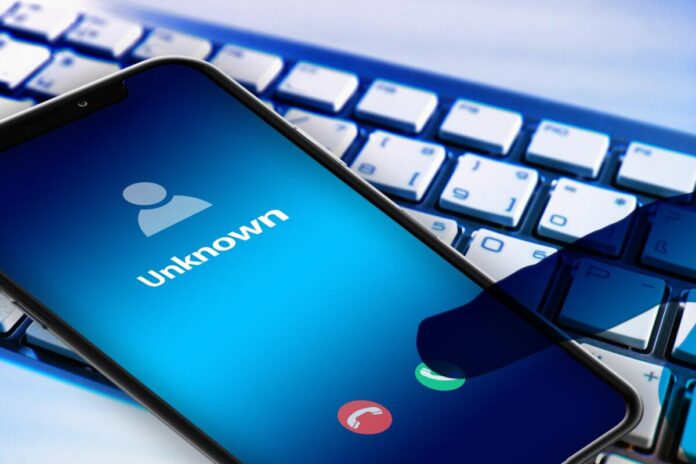
It was a quiet morning on the water. As the sun gently burned through the mist, I spotted a doe and her fawn approaching. Then… my phone’s jarring ringtone blasted through the peaceful setting. The deer bounded away, and I almost dropped my camera! And for what? A spam call!
Spam calls are everywhere, but you can dramatically cut the noise with a few smart moves. Read on to find out how.
More spam?
Robocalls and spoofed numbers are still pouring into American phone lines in huge numbers. Recent industry tracking shows billions of robocalls in a single month. That means you can no longer rely on a single fix. Layering protections is the practical approach to tackling the spam issue.
Quick plan
If you’re tired of spam calls (like I am), here’s a brief look at what to do. (Step-by-step details follow for both iPhones and Android cell phones.)
- Sign up for the Do Not Call list and report illegal calls to the government.
- Turn on your phone’s spam protection and silence unknown callers.
- Enable your carrier’s free spam tools if they offer them.
- Install one reputable robocall-blocking app and set it to block or send suspected spam straight to voicemail.
- If a number slips through, block and report it so the community lists get smarter.
Details for iPhones
Open Settings and tap “Phone”.
Find “Silence Unknown Callers” and toggle it “on” to send calls from numbers not in your contacts straight to voicemail (they won’t ring).
Next, scroll to “Call Blocking & Identification” (or “Call Filtering” with some carriers) and enable any spam filter offered there. Carrier-flagged spam will then be silenced and sent to a Spam list you can check later.
For carriers that integrate spam detection into iOS, turn on the carrier spam setting shown in Phone settings, so known spam goes to voicemail automatically.
You can also install a reputable app from the App Store that integrates with iOS call filtering. Once installed, go back to Settings > Phone > Call Blocking & Identification and enable the app’s switch. Here is a list of spam blockers for iPhones.
For authoritative Apple guidance on these features, see Apple’s support documentation.
How-to for Androids
Open the Phone app and tap the three-dot menu, then Settings, then Caller ID and spam (wording varies by phone).
Turn on “See caller ID and spam” and (optionally) filter spam calls so suspected spam goes to your call history and voicemail without bothering you.
On many Samsung and other manufacturer phones, look for “Smart Call” or a built-in “Spam Protection” toggle and enable both caller ID and spam warnings.
If your phone offers a “Scam Detection” or “Scam Protection” toggle, turn it on. It may warn you during a live call.
For more guidance, follow Google’s support page.
Use your carrier’s free tools
Major U.S. carriers offer free or low-cost spam tools that sit at the network level and catch a large share of bad calls before they reach you. If available, enable your carrier’s app or network protection. Common names include AT&T’s Call Protect, Verizon’s Call Filter, and T-Mobile’s Scam Shield. Set them to auto-block known spam. These tools often update their lists across millions of users, so they’re worth enabling even if you use a phone-level blocker.
Pick a reputable blocker app
Choose apps with good track records and clear privacy policies: Nomorobo, Robokiller, Truecaller, Hiya, and YouMail are commonly recommended. Install one, follow its setup, then enable it in your phone’s call-filtering settings so the app can label and/or block calls. Set the app to automatically block high-confidence spam and keep the reporting feature on so the community database improves. Don’t give up carrier or built-in protections—let them stack for greater protection.
What to do when a spam call gets through
Hang up immediately if the call is suspicious. Never press buttons to “opt out.” Scammers use that to mark active numbers. Block the number on your phone and report it to the FTC and your carrier. (Most carrier apps include a report button.) If the caller left a voicemail, some apps transcribe live voicemail so you can confirm whether it’s legitimate before calling back.
Extra tips RVers will appreciate
If you’re on the road and switch SIMs or carriers, check spam settings after every change, so protections can reset.
Use “Do Not Disturb” to let only people in your contacts ring overnight, while still allowing emergency calls.
Keep your contact list tidy. Delete contacts you no longer use or want. Silence Unknown Callers only works for numbers not in your contacts.
Reality check
No single tool is foolproof. As the telecommunications industry and regulators tighten the rules, scammers adapt. Still, combining the Do Not Call Registry, your phone’s settings, carrier filters, and a solid blocker app will drop the volume drastically. It can help reclaim your time and peace of mind. The industry and regulators continue to push improvements, but the layered approach is the best defense today.
Lastly, be careful when answering your phone to someone or a business you don’t know or recognize. Scammers are getting creative, and it’s very easy to fall victim, which could be a huge, costly mistake.
RELATED
- RVers are prime targets for today’s smartest scams
- Scammers using A.I., voice cloning to target older Americans
- RVers beware: The ‘Starlink chip’ is a Facebook scam
- Investor: God act was part of $60M theme park, RV park scam
RVDT2859

Put your phone on silent or airplane mode it you’re going out to photograph wildlife.
Some good tips. For me, most don’t work, as I use my phone for business and most calls I get are from unknowns. I’m surprised I don’t get more spam calls as my phone number is all over the internet. And never say “yes” if asked “Can you hear me?” Spammers can take that and insert your word into a contract or selling you something. They are tricky.
Wow now that’s genius take my whatever in plain yes!
Thank you Gail! This is one thing, especially on my land line, as I use the cell only for emergency use. I note my emails with a notice “email preferred due scam/robo calls.” I do a lot in the public domain of our local area, so exposure is always there. The unfortunate thing I have noted lately is robo/scam callers using legitimate phone numbers – so you answer expecting it to be a valid call from someone you know or have reason to take the call….. super irritating and hard on slammed down phone!
I know the National Do Not Call list doesn’t work. SPAMMERS ignore that list. I’ve been on the list for many years and I still get tons of SPAM calls.
Too true Don, too true. We’ve been on the list since Moby Dick was the size of a minnow. If the DNC list actually works, I can’t imagine how many more calls would hammer my line.
My Google phone includes Google Assistant. It answers all calls that are not on my phone list. It basically asks who are you and what did you want? Records the answers, and I decide if I wish to return the call. Over 5,000 recorded spam numbers that are never answered.
Most spam calls quit after about 9 seconds.
Most scammers use “jumpers” so that call numbers to you are legitimate unsuspecting people. If you call a scammer back, it like is also an unsuspecting person whose phone number was used for display purposes.
i also no longer use my name when I answer the phone.
my wife just won’t answer a number not in her contacts. Not an option for me though.