


Hi Dave,
We are hooked on Starlink. With subscriptions, it is internet and TV for us. Is there a way I can replace the CATV connections with Starlink’s ethernet connection to feed the Starlink dish signal inside? Or is there some other clever means to get that Starlink cable inside to its router without running the cable through a window that’s cracked open? Thanks. —Bill, 2018 Pleasure-Way Plateau FL
Hi Bill,
Starlink has been a very popular topic of discussion at my seminars these past few months and I see more people joining what I call “The Uplink To The Stars!” Your Pleasure-Way RV, like most RVs, has a coax cable connection that is prewired to allow you to connect a satellite dish or other cable connection. Yours is located inside the driver side service panel that has the shoreline power connection and the city water. It is a typical coax connection with RG6 coax cable connected inside and run to the entertainment center.
According to the factory video walkaround, there is a Winegard coax meter and connection inside; however, I believe that is only for the over-the-air antenna which is the Air 360+. The coax from the service center either goes to the TV directly or to the DVD player through what they call their “Multi-plex” wire looms.
However, the Starlink cable is an ethernet wiring loom with eight, 24-gauge wires.
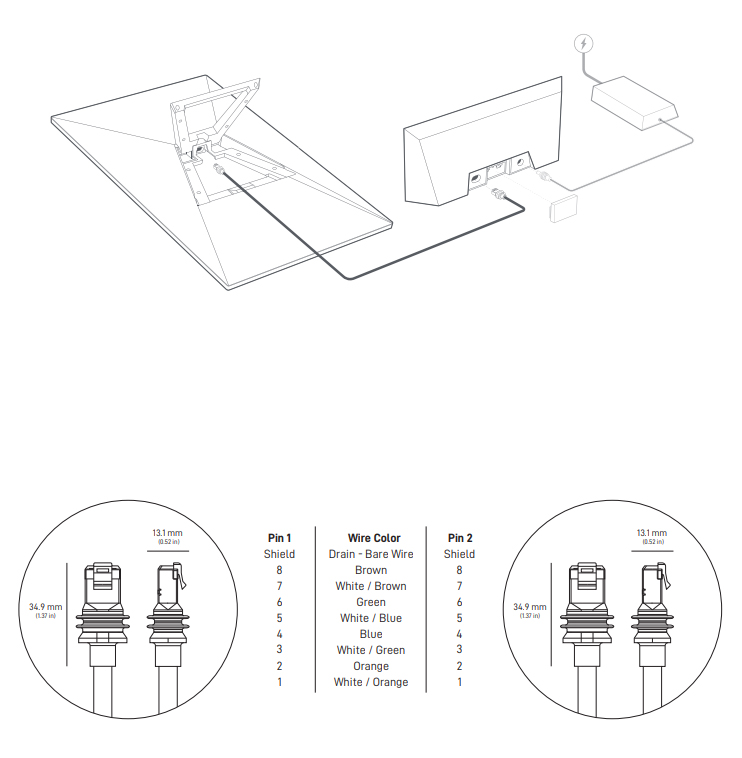
It is not compatible with coax that has a single wire connector.

I checked out the Starlink site and several articles on RVtravel.com, and nobody had a solution for the connection to the coax cable. So you will need to use the ethernet cable and connections and find a way to route them into the rig.
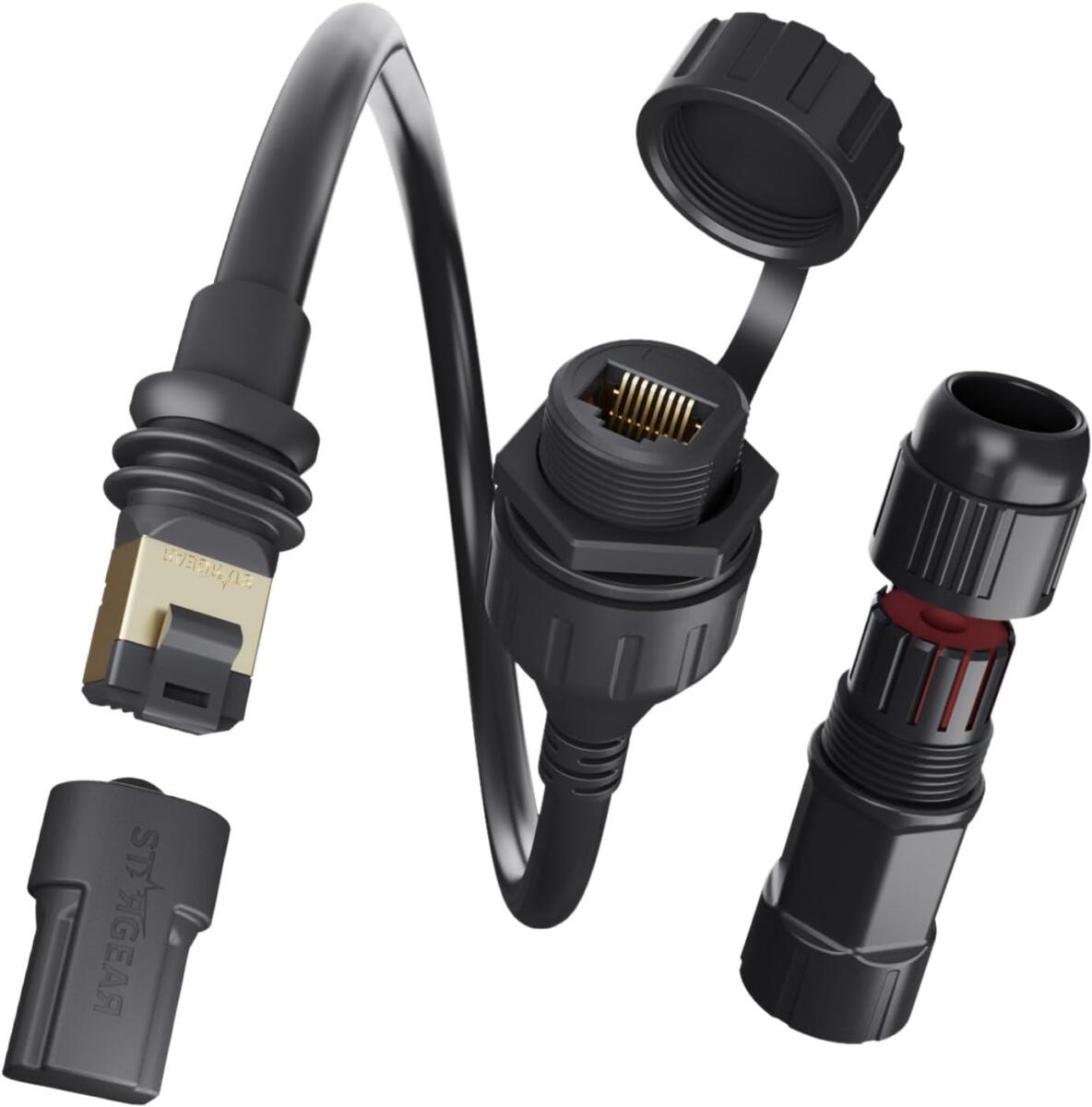
Since your service center has the shoreline connector and city water, there should be access to them from the inside. According to the walk-around, it looks like there is a cabinet covering the area inside, so I would suggest opening the doors and see if you can get behind the cabinet? If so, you could remove the coax connection in the service center and use the weatherproof plug available for the Starlink connection here. Then run the provided cable up to the router, which can be placed inside the cabinet with a power plug.
You might also enjoy this from Dave
How to hook up a portable satellite feed in RV
Dear Dave,
We have two Winegard satellite dishes on the roof, one for each TV so we can operate them independently. Sometimes when we park under trees we want to be able to plug a third dish into the rear satellite connection located in the compartment where the main power cord is located. We get nothing when connected there…. Read the rest of Will’s question and Dave’s answer.
You should enjoy these questions Dave answered
- Which works best to insulate RV windows – shrink wrap or bubble wrap?
- Is it okay to use a pressure washer to clean an RV exterior?
- Can I just leave RV batteries on 120-volt power this winter?
- I heard a loud ‘pop,’ then RV interior outlets had 240 volts!
Dave Solberg is a leading expert in the RV industry and the author of the “RV Handbook.”
Read more from Dave here.
HAVE A QUESTION FOR DAVE?
Send your inquiries to him using the form below.
##RVDT2596


Boycott Starlink.
I concur.
Boycott waste, fraud, abuse and graft.
Starlink router can be wall mounted in the basement so you don’t need to route wires inside. Works just fine this way.
Back in 2017 (so not Starlink specifically) I installed this panel mount Ethernet connector in our TT’s connection bay next to the coax connectors. Inside the panel I added this Ethernet coupler.
We moved to a different long-stay RV park last spring that has fiber to a modem mounted in the power pedestal. Connected modem to our TT at the exterior panel with the supplied Ethernet cord, and connected to a wi-fi router inside the TT. No additional holes or snaking through a slide seal or window needed.
Thank you for the test results (coax fitting won’t work with Starlink), and the possible solution. Have a great week and safe travels!