

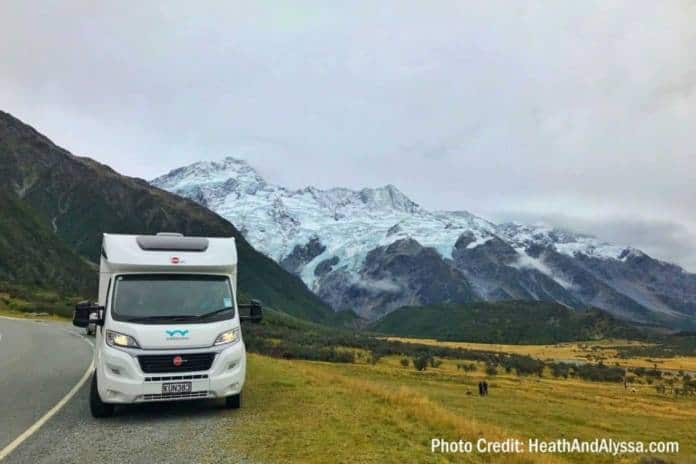
We love RVing, we love international travel. What better trip than to rent an RV in New Zealand! Lots of people have done it before us and, because of blogs and YouTube, we get to learn from their examples. For New Zealand, we watched Heath and Alyssa’s videos of their trip last spring. From their videos, we learned about Wilderness Motorhomes. We’ve booked the Ranger 4 model with 2 double beds because there will be 3 of us. We’re meeting an old friend who is very familiar with New Zealand and she’ll be traveling with us.
So, where are we going to go? We like to be spontaneous, but we also like to research. My compromise is to not plan our exact itinerary, but to mark the map with places that sound like somewhere we’d want to go. I use Google Maps and the Saved places feature. Google Maps is on all my devices – all I have to do is sign in with my Google account and I’ll see all the places I’ve marked.
How to save a marker
For example, in reading Heath and Alyssa’s blog, they mention Mt. Cook National Park as the most beautiful park in the world. OK, I want to mark that on my map. Specifically, Aoraki Mount Cook Village.
- Open Google maps on any device and be sure I’m signed in
- In the search field at the top type in Aoraki Mount Cook Village, New Zealand
- When it appears with the red marker, I also see a card describing the place. On a computer it will appear at the left; on mobile it appears at the bottom of the screen – swipe up from the bottom of the screen to see more detail, including a “Save” button.
- Click (or tap) on Save, then choose a list to save it to. There are 3 standard lists: Favorites, Want to go, Starred places; then you can also add your own lists, for example: New Zealand. For my purposes, I choose the Want to Go list. Now I see green flag markers on the map for my Want to Go places.

More markers show up as you zoom in on the map. That’s it. When we get to New Zealand and we’re on the road, I can pull up my Google Maps and see if any of my Want to Go places are nearby.
For more instructions on using Saved places and Labels, see the official Google Help for saving your places.
Chris Guld is President and Teacher-in-Chief at GeeksOnTour.com. She and her husband, Jim, produce a free weekly YouTube show called What Does This Button Do? They have been Fulltime RVers, popular seminar presenters at RV Rallies, and regular contributors to RVTravel.com, for many years.

Excellent article! Thanks for sharing these tips on using Google as a trip planner.
Thanks for the trip planning tool. We too are heading to NZ during April and May to duplicate Heath & Alyssa’s trip and also will be renting from Wilderness.