

Is it time to just eliminate campground Wi-Fi altogether? I think it is, and I can share why.
But, first… A few weeks ago, I shared that I had been hacked in a campground, but I don’t believe I shared that I had been hacked twice in different campgrounds.
Let’s talk about how we all get connected so you can read websites like RVtravel.com. And whatever else. Like watch TV.
Campground Wi-Fi is mostly lousy. Let’s face it—we go places that are pretty, but also somewhat remote. That means that the Wi-Fi that is available to the campground itself may also not be so great. And then you’re splitting that up by however-many campers are there wanting to use that connectivity.
Installing and maintaining a Wi-Fi system in a campground is very expensive. And whenever something’s expensive, that means we’re the ones paying for it. I don’t know how much the cost of Wi-Fi extends to our own reservations, but I can say that it’s noticeable. It’s also generally not secure. I’ll get to that.
Watching TV in 2026
We all know that TV in 2026 is different than TV as it was even a few years ago. It used to be you’d sit down and turn on the TV and watch what was there. Today, there are times when I turn on the TV, and it’s got a software update. But then you need to remember your password. Then, instead of a few moments of something funny, now you’re invested in sitting through all this frustration just to watch a rerun of a show that was funny. But now you’re just annoyed.
In many cases, TV today requires the internet. But, depending on what you’re watching, this doesn’t have to be the case. You could have movies on some form of removable media and just watch them from there without any internet connection. It’s certainly possible. Some RVers still have DVD or Blu-ray players.
Of course, if you want to watch streaming content, you might be surprised at what you can use to accomplish that. Many cell phone providers are able to provide sufficient bandwidth for streaming. Your phone’s hotspot functionality may be sufficient. Mine is, generally speaking.
However, many campground Wi-Fi systems are not sufficient for streaming. Let’s face it. It might be fine in the middle of the day, but once it gets dark, a lot of people are flipping on their TVs. That’s when the campground Wi-Fi gets choked.
Where do you get your news?
Many people say they need connectivity to get “their news.” If that means watching TV news, this article may not apply to you.
I curate my own news through trusted subscriptions, podcasts, and apps—like Clime for weather—so I can get deeper, more useful information on the topics that matter to me.
What happens when there’s no cell coverage?
Quite honestly, Starlink is incredible. I also recognize it’s not cheap. The Mini dish is down to $200 now, and they offer a variety of service plans. But it’s still a real expense. Still, by gosh, it works well almost of all the time.
We use Starlink as a backup, and I don’t activate the service unless I can’t get anything else. Most of the time, I’m using a cell carrier–based service. There are so many surprisingly good options now that it’s really a topic of its own.
In my travels, I continue to be impressed by how well these cell-based systems perform—and how affordable they can be. I also appreciate that many of the RV-focused plans let you turn service on and off depending on your travel schedule.
And all of these options generally perform better than campground Wi-Fi. They’re far more secure, too.
 I got hacked. Twice.

Before I realized how bad it was to share a connection with a bunch of other people, I was doing just that. In a park in Michigan, there was someone in a nearby camper who clearly had a lot of antennae and was pretty tech savvy (he had a gazebo tent full of tech gadgets).
I was on the campground’s Wi-Fi before I got my own Starlink dish. The next thing I knew, he had hacked into my iCloud account. You know, the one that Apple says you can’t get into. Well, someone did.
When you’re sharing a connection with the world, smarter hackers are able to get whatever you send and receive, including user names and passwords, credit card numbers, and the whole shebang.
This was pretty disastrous for me, as I had a lot of things tied to that account, including a credit card, which they also got into.
The hours and hours I spent trying to regain control of accounts were mostly successful. But the iCloud account was the core of this, as I used it as a hub for so many things—assuming it was secure.
Ultimately, I did get that account back by writing to Tim Cook, and one of his team was successful in getting me my account back. But I can tell you, I have made a lot of changes in our behavior since then.
Hacked again
The second time I was hacked, I was buying something online and thought I was on my own connection. But my confuser remembered the campground’s Wi-Fi password and jumped onto that network.
Well, that credit card number was stolen. While this wasn’t nearly as personally catastrophic as the previous iCloud hack, it was still a fiddly pain in the butt.
Basically, I will never, ever, ever use campground Wi-Fi for any reason ever again. So there.

What’s already in your RV?
If you have a newer RV, it may already have some form of connectivity. There are even some newer motorized units that come with a full Starlink system, although this is uncommon.
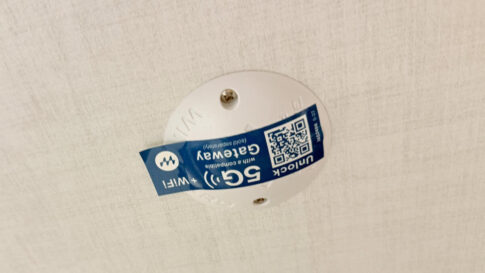
My own RV, a 2025 Rockwood Mini Lite, came with a series of antennae on the roof in a dog bowl-looking enclosure to which I could attach a proprietary (and expensive) router. But this system, which uses cell connectivity or can tap into whatever else I have in the camper, has been extraordinary.
Since these antennae are up on the roof and are much larger than the ones in my cell phone, I’m impressed with their performance. I also like that this system can incorporate monitoring the RV remotely.
I interviewed a Winegard representative in this podcast about this system.
So, about campground Wi-Fi…
Campgrounds mention Wi-Fi as if it’s some great feature. But it’s a feature I don’t want to pay for. I bring my own with several redundancies, and mine is secure. Whatever portion of a reservation that covers Wi-Fi costs is just a waste of my money.
With the number of options for connectivity that are affordable and reliable nowadays, the last thing I would be willing to pay for at a campground is their Wi-Fi. I’m wondering how many of you feel the same way?
I can’t wait to read the comments about this—you all are so great about reaching out. I also know that, in many cases, I am an outlier on a lot of issues.
Oh, and make sure you read my story last week about why the RV industry needs a “Tony Certified” standard.
RELATED
- RV internet choices from Calyx to Starlink
- The $299 Starlink Mini deal is back—and RVers may want to look again
- Starlink’s AI data policy raises questions RVers should be asking
RVT1250


Your bad experience with iCloud got my attention because I just bought a new iMac, replacing my 2015 iMac still running Big Sur. To my dismay Apple thought it was a good idea to automatically put ALL of my documents on the iCloud. That includes 9 pages of passwords, my banking info, my Military records, my Trust and Will documents and much more. All without my knowledge or permission. Reading that your iCloud account was hacked is pretty upsetting, to say the least. I have also found out that if you turn off the iCloud it automatically deletes all of your documents on the computer, again without my knowledge or permisssion. Thanks Apple!
Perhaps I’m just paranoid, but it seems to me that storing anything of value online is an unnecessary risk. Data breaches happen with alarming frequency, even to companies with robust security. No thanks, I’ll keep my information locally.
I agree…I have messed up my computer twice trying to get off of iCloud. I have an appointment at Apple and I’ll let them do it. I don’t want those documents on the “Cloud”, only on my hard drive backup which is in my safe, or on my secure computer. On my old Mac the only thing I had on iCloud was my photos, and that was by my choice.
You can have your data physically on your own computer and use Time Machine to back that up as well as having it in iCloud. Apple gives you complete ability to manage data to your satisfaction.
Tony thanks for replying. That’s what I have done for the past 10 years with my old Mac. With my new iMac if you select the default options during setup then all documents are copied to iCloud automatically, which then make them available to my phone and iPad, something I do not want. If you try to turn off iCloud you get a message saying thet all documents and the desk top will be removed….which happened to me!
Shoot, that’s not good. I believe you’ve helped me choose next week’s essay.
I always wonder why people don’t just keep paper records. You know where they are and you’re not giving personal records to entities you know nothing about.
I do have paper records, some are years old. Any paper receipts you get now a days will fade over time and become unusable. Plus, my fire proof safe isn’t large enough to hold an excessive amount of paper records.
One good fire and you’ll understand why I keep ZERO paper records.
Yes. Apple feels entitled to decide how you will use your unit and you have to work to opt out of ‘syncing’ etc. I once had a large music library on a device erased because it decided I must want to ‘sync’ with an empty library on another device, and it did it the instant I booted up, with no ‘are you sure’ warning.
It appears that problem was added with the new OS and hasn’t been out that long. My 10 year old iMac is running Big Sur and Apple quit updating that system until just recently withing the last 2 months. Now my old Mac has the same issue as well, but I was able to turn off syncing without losing the Document folder contents.
It seems Apple is now coming out with Updates as frequently as they did when I was on a Windows computer. Frustrating….
I use iCloud for some secure stuff but you can also move all that to a local folder not backed-up by iCloud.
I think iCloud is mostly really secure, though. But, with anything I care about, I use the 3-2-1 backup plan. Perhaps that’ll be my next week’s column!
I work in a campground and we have Starlink. We’re finding that individual starlink users systems are competing with ours. I don’t know all the technical stuff involved, but the individual systems are overwhelming ours. Its frustrating to say the least
That’s interesting.
The per beam capacity of a single StarLink satellite is 419 BSL’s sending and receiving data at once. What that means is if your campground is in a metropolitan area having over 400 StarLink dishes streaming Netflix from only one satellite, saturation could indeed be the cause of your frustration. What area are you in (if okay to ask)?
A Starlink drawback that is frequently skipped is it’s leader. Politics aside, I find Musk a repellent human and despicable business person. Too much of the high Starlink price goes to him. Add his politics backmin and he’ll never get a dollar from us.
I’m sure he misses your $ a lot. Guessing he wont get to Mars now, without your $200.
Just a quick question, are you using a VPN, and would using one prevent hacking?
I have my VPN set to come on when I boot the computer. I also do not save passwords on the computer or in the cloud. I have my passwords on “paper” and also on a thumb drive.
The only problem I encounter is with emails on VPN. My VPN will not allow me to access my email account.
I normally read and send emails on my phone and only when on cellular.
Yes, a good VPN like ExpressVPN or NordVPN will protect you from hacking and not track your activity online.
No and yes. 😀 Well, it would help.
We have an ‘unlimited’ data plan with Verizon. Only time we use wifi is in our own home and a few trusted others (family homes). I do not use icloud with my mac. My phone is a Droid. Passwords are in a small notebook, not saved online. Even on my own computer I do not save my banking passwords, because what if my computer goes down and I have to take in for repair….
Folks need to realize that even though a wifi connection is password protected you are still sharing ‘the space’ with everyone else in the coffeeshop, campground, etc. It doesn’t matter how nice the neighborhood is. Think Bernie Madoff, he didn’t look like the scumbag he really was.
Starlink Mini here. Best for us. Fantastic speeds, trees do drop the DL speed a bit. We used a Verizon hot spot WIFI puck for years while my wife worked from the trailer for Amazon. I like the SL much better and less cost. I like being able to pause the service. There is a standard $5 a month fee when paused though, but it’s worth it to me.
I read your story about getting your apple iCloud account stolen and I almost started weeping. The same thing happened to me a year ago and I am STILL trying to recover my data. I’m a retired physician so my medical license and prescribing credentials were also hacked so the FBI got involved. I never recovered anything – my photos, my data, my purchased books, movies, TV shows. The thieves put all my Apple devices in lock down mode so I ended up having to replace most of them. And then they followed me thru my Apple tags – which I could not turn off because they controlled my iCloud, not me. I must have talked to Apple at least hundreds of times and they never helped. Can Tim Cook help me?
I don’t know if he can but you can reach out to tcook@apple.com
Know that it won’t be Tim, of course, but likely someone on his team.
To me, relying on free WiFi is akin to mooching rides from strangers and then complaining about the comfort of the ride. You get what you get and not every ride is nice, let alone safe.
We use StarLink on the Roam plan exclusively because it works. No hit and miss guessing about connectivity, security, bandwidth or lag.
Vince- not nice for people on budgets who rely on WIFI. I’ve never had problems and never complained. I can exist without it for a long time if needed.
No disagreement Drew but the reliance on WiFi absent the desire or ability to pay for it doesn’t make it the park owners burden to bear. If one expects more than what free provides, that strikes me as being a choosing beggar. Your thoughts?
Well, in theory, it’s not “free” but a component of what you’re paying for when you pay your campground fees.
Just like “free” wifi at Starbucks is included in the price of the superwhatchitflabbahutch coffee that your name is written incorrectly on or that $12 Big Mac at a place that used to be fast food but now isn’t.
Campground we stay in has ATT fiber…super fast super safe
No public WIFI is completely safe. Does each camper have their own personal password?
Unfortunately if you’re on a “public” wifi it is not safe – your passwords and information are being transmitted and can be “caught” by unsavory characters.
Think of this – when you send an email the email address and password are sent to the server wirelessly.
What I’d like to know is if Tony and/or anyone else had been hacked going through their rigs WiFi extender. We rarely camp anywhere with WiFi but I was under the impression that these can be effective firewalls.
I wish I could remember what the specific configuration of our system was at the time.
Jumped to T-Mobile Home Internet shortly after its introduction and haven’t switched.
Not the fancy roam plan either. True, T-Mobile does not like you using the device while moving. Not a problem, we use our phones with the T-Mobile Gateway unpowered. We have never had a problem when we are at a campground connected to a single tower.
We tend to stay off the Interstates and travel through more rural areas and it has been rare we have not had a usable signal. It costs us a fraction of what Starlink charges.
If for some reason you must use public WiFi, secure your data by using a VPN, which is easy to do. Free VPNs are not the best, but paid products like ExpressVPN and NordVPN are extremely safe and don’t track your activity. They’re worth it not only for the peace of mind, but for gaining access to a wide array of international content (TV programming, sporting events, etc.).
Before we leave on a trip I download as many episodes and movies as possible. If connectivity is problematic or nonexistent we can still have a show or movie to watch.
It is a good idea to put a VPN on any phone, tablet, chromebook or etc. that you are putting on public WiFi. It isn’t as expensive as your own WiFi.
I’m curious why you think your iCloud or credit card number being stolen had anything to do with what wifi you were using? Those things happen every day whether you are connected to the internet or not. It has happened to me several times. Unfortunately, it is a fact of life now.
I really doubt that there was someone in the campground hacking into the wifi system to capture data from other campers.
I don’t use campground wifi systems because they are terrible. I agree that campgrounds should not waste their money on installing and maintaining them.
Why wouldn’t you always use a VPN? We always do and have never had any issues.
Yes, it is very aggravating when you are traveling around the country and nearly every campground is another one with LOUSY WiFI. But also a problem is Microsoft. We have a laptop with Win 10. We get the stupid blue screen a lot when on campground wifi. But almost never at home. I think once in 6 years. Win 11 is just as bad. But older version, like Win 7, almost never completely crashed like 10 & 11 do.
I’ve noticed that WiFi service at campgrounds has vastly improved over the last few years. It’s become an expected amenity for the rates that campgrounds are charging these days. Years ago, you were lucky to get linked to a consumer-grade access point in the main office. Today, I see access points on well-placed towers all over campgrounds where campers are rarely more than 100 feet away from one. We have a rooftop antenna connected to an internal router that works very well, and are surprised how often we can stream video, even in the evenings without any problem.
As for security, as an IT professional I share the author’s concern. WiFi access points that do not require a password should be avoided, as all traffic will be unencrypted. And even those that do cannot be fully trusted.
For anything where security is a concern, we don’t use public WiFi, directly anyway. We either use a cellular connection, or I VPN into my home system, which is highly secure. We never do financial transactions over public WiFi. I don’t worry so much about streaming video through our Roku player.
I keep all on an external hard drive and have several thumb drives. I don’t and haven’t ever used any MAC product nor will I. I can secure my system just as good as a MAC can.
I read your article and had a couple of questions.
Before you connected to the campground Wi-Fi, were you using any security on your device, like a VPN or anything else? Did you have two-factor authentication turned on for your Apple iCloud account at the time? Also, after the first time you were hacked, did you change any of your security settings?
When your computer connected to the campground Wi-Fi again the second time, was it set to auto-join that network?
I’m just curious because, while network security is important, end users also have some responsibility to secure their own devices when connecting to shared Wi-Fi.